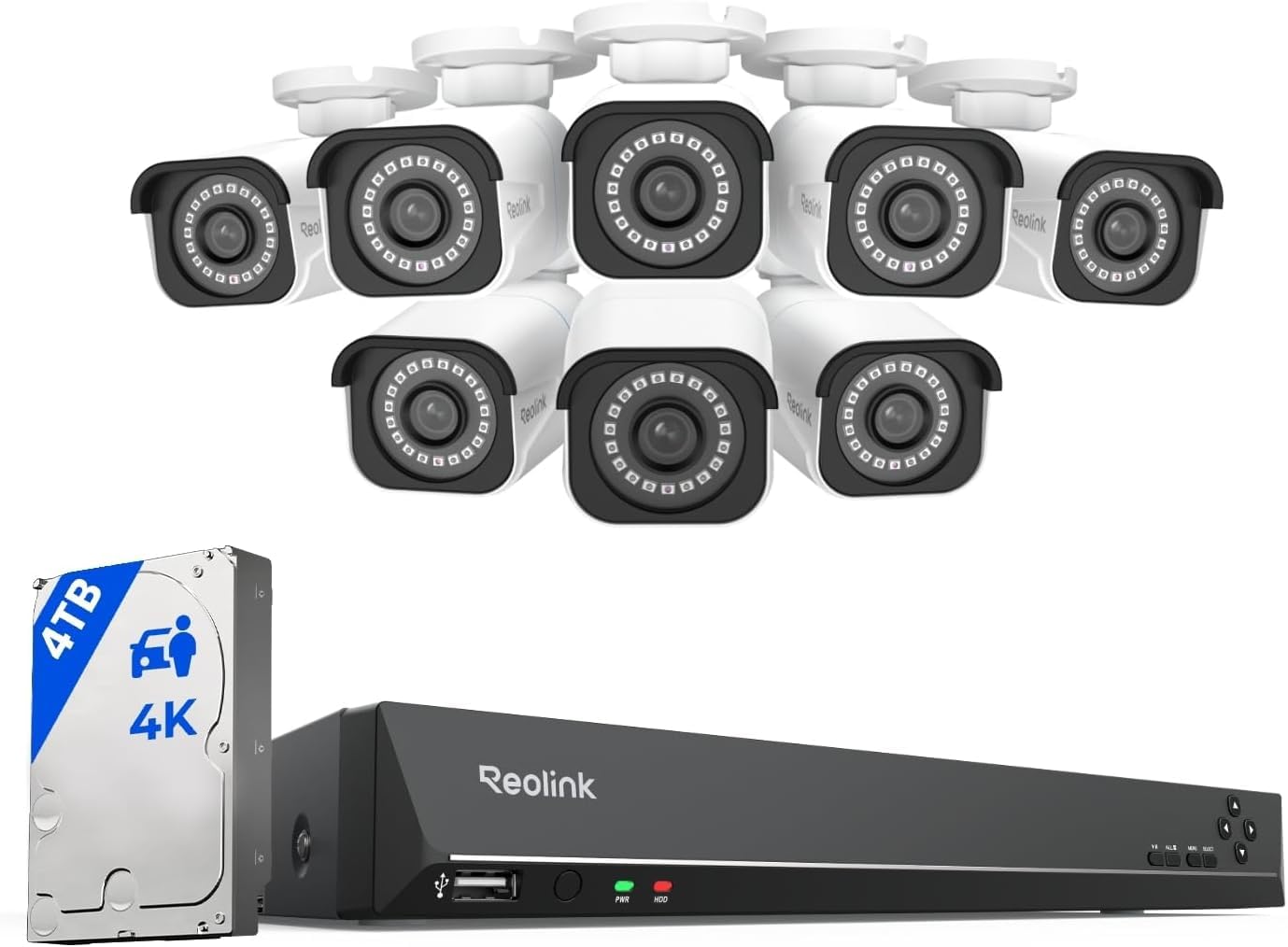
Ever set up a home camera only to discover blurry footage, dropped connections, or hidden wiring that ruins your décor? Those frustrations cost you time, money, and peace of mind. In fact, a poorly chosen system can leave blind spots that burglars love.
Fortunately, the best wired 4k security camera system brings crystal‑clear detail, rock‑solid trust. A tidy install that blends with any space. In this guide you will learn how to size your coverage, compare key specs, install safely, maintain power. avoid common pitfalls—all in plain, step‑by‑step language.
📌 AT A GLANCE
- ✓Crystal‑Clear Detail: 4K resolution captures facial features and license plates at long range.
- ✓Stable Wiring: PoE and shielded cables prevent signal loss and power spikes.
- ✓Scalable Design: Add cameras or upgrade storage without replacing the whole network.
- ✓Future‑Proof Features: AI motion detection and edge analytics run locally for privacy.
- ✓Smart Maintenance: Regular checks keep firmware current and lenses clean for peak clarity.
Foundational Overview & Key Principles
Understanding why a wired 4K system outperforms wireless alternatives is the first step toward a secure home. Wired power‑over‑Ethernet (PoE) gives steady voltage, while fiber‑backbone options eliminate bandwidth bottlenecks. This means you get true 4K streams without lag, even when multiple cameras record at once.
Sketch your property, mark entry points, and note lighting conditions for each camera spot.
Choose a managed switch with at least 30 W per port for future PTZ upgrades.
Use conduit or raceway to hide Cat6a runs and protect against weather.
Calculate daily footage (hours × bitrate) and add 30 % buffer for retention.
Choosing the right parts also protects your investment. A mismatch between camera sensor size and lens focal length can create blurry zones. Low‑quality cables may pick up electromagnetic interference. Below are the core ideas you should master before buying.
- Resolution Impact: 4K (3840 × 2160) shows details three times sharper than 1080p, key for identifying faces and plates.
- PoE Standards: IEEE 802.3af supplies up to 15.4 W. 802.3at (PoE+) gives up to 30 W for PTZ or infrared lights.
- Cable Shielding: Cat6a or higher with foil shielding blocks EMI. Supports 10 Gbps over 100 m.
- Storage Planning: NVRs with RAID‑1 or RAID‑5 ensure footage survives drive failures.
- AI Edge Processing: On‑camera analytics reduce bandwidth by sending only alerts, not raw video.
Take these fundamentals and match them to your property’s layout, budget, and privacy goals. The right blend of hardware. Software creates a system that works quietly in the background. Meanwhile, you focus on daily life.
Essential Guide to Best Wired 4k Security Camera System: Key Insights
Not all 4K cameras are built the same. Your choice should reflect where each unit sits, what it watches. How much you need to move it. Fixed dome models excel indoors, bullet lenses shine outdoors. PTZ units add pan‑tilt‑zoom for large yards.
When aligning outdoor bullet lenses, set the focus at infinity first, then fine‑tune the varifocal ring for the exact distance to the target. This yields razor‑sharp detail across the entire field of view.
When you compare models, look beyond megapixels. Sensor size, low‑light power, and lens aperture dramatically affect night vision. Below is a quick checklist to help you pick the perfect camera for each zone.
- Fixed Dome Indoors: Small form factor, vandal‑resistant, and wide‑angle lenses for lobby or hallway coverage.
- Bullet Outdoor: Weather‑sealed housing, built‑in IR LEDs, and motorized varifocal lenses for garage or driveway.
- PTZ Unit: Remote control, 30× optical zoom, and smart tracking for expansive backyards.
- Low‑Light Sensor: Starlight or Sony Exmor R sensors keep colors in dim light without flash.
- Edge AI Analytics: On‑board person/vehicle detection reduces false alerts and saves bandwidth.
Match each camera type to its space, then check that the chosen model supports the PoE power budget you set earlier. This prevents the dreaded “too little power” error during installation.
Wiring and Power Delivery Essentials
Running cables can feel daunting, but a systematic approach makes it simple. First, decide whether you’ll use direct bury, conduit, or surface‑mount raceways. Second, label each cable at both ends to avoid confusion during troubleshooting. Finally, test each line with a PoE injector before connecting cameras.
Following these steps ensures a clean install that meets code and reduces future upkeep headaches.
- Cat6a Minimum: Supports 10 Gbps. 30 W PoE+ over 100 m, ideal for 4K streams.
- Shielded Jacket: Foil‑plus‑braid shielding blocks radio interference from Wi‑Fi or nearby power lines.
- Pulling Lubricant: Use silicone‑based gel to ease cable runs through tight conduit.
- Labeling System: Heat‑shrink tags with QR codes speed up future diagnostics.
- PoE Testing: A handheld tester verifies voltage, polarity, and continuity before powering cameras.
After you finish the run, secure each cable with cable ties. Ensure no sharp bends exceed 90°. A tidy job not only looks pro but also prolongs cable life. For complementary picks and expert testing advice, see our guide on 10 Best 4K Outdoor Security Camera Systems for 2026 – Expert Picks.
Setting up the Network Video Recorder (Nvr)
The NVR is the brain of your system. It stores footage, manages user access, and runs analytics. Choose a model with enough channels for current cameras plus extra slots for future growth.
Modern NVRs often include built‑in PoE switches, simplifying cabling. However, a separate managed switch gives you more control over bandwidth allocation. VLAN segmentation, which boosts security.
- Channel Capacity: Pick an NVR with at least two spare ports to add cameras later.
- RAID Configuration: RAID‑1 mirrors data for redundancy; RAID‑5 balances redundancy and storage speed.
- CPU & GPU Power: Look for Intel i5 or better. A dedicated GPU for AI analytics.
- Remote Access: Cloud‑based mobile apps let you view live streams securely over HTTPS.
- Firmware Updates: Enable auto‑update to patch security holes promptly.
When you finish the NVR setup, create separate user groups for family members and service technicians. This limits who can change settings or delete footage.
Installation Step‑by‑Step Guide
Now that you have all parts, it’s time to install. Follow this clear sequence to avoid re‑work.
- Mount Brackets: Use a drill with a level to attach brackets. This ensures the camera faces the intended zone.
- Run Cables: Pull Cat6a through conduit, leaving a 10‑cm slack at each end for terminations.
- Terminate Connectors: Crimp RJ45 plugs with a certified tool, then test each with a PoE tester.
- Connect to NVR: Plug each cable into the NVR’s PoE ports, matching the labeled IDs.
- Power On & Align: Power the NVR, access each camera’s web UI. Adjust focus, angle, and IR range.
After the first live view, walk the property to check coverage gaps. Adjust lens zoom or reposition brackets as needed. A quick walk‑through saves you from blind spots later.
Maintenance and Troubleshooting Checklist
Even the best system needs regular care. Dust, rain, and heat swings can degrade image quality and cause hardware wear. A simple monthly routine keeps everything sharp and steady. For complementary picks and expert testing advice, see our guide on 5 Best Wired Security Camera Systems Without Subscription – 2026 Picks.
- Lens Cleaning: Use a microfiber cloth and isopropyl alcohol wipes to remove smudges without scratching.
- Firmware Review: Check the NVR and each camera for updates; install them promptly.
- Power Check: Check PoE voltage with a tester; replace any faulty cables.
- Storage Health: Run RAID health diagnostics and replace any failing drives.
- Network Scan: Use a network analyzer to spot unusual traffic that may indicate hacking.
- Environmental Inspection: Confirm seals on outdoor housings are intact after storms.
Follow this checklist each month, and you’ll catch problems before they affect recordings. If an issue persists, consult the maker’s support page or the NIST cybersecurity guidelines for advanced troubleshooting.
Best Practices for Secure Operation
Security is more than hardware; it’s also about how you manage access and data. Use these dos and don’ts to keep your system safe from hackers and accidental loss.
Never power a camera directly from a wall outlet without PoE isolation. This can damage the sensor and void warranty.
- Use Strong Passwords: Combine letters, numbers, and symbols; change them every 90 days.
- Enable Two‑Factor Authentication: Adds a second layer for remote app logins.
- Segment Network: Place cameras on a VLAN separate from home Wi‑Fi devices.
- Disable UPnP: Prevents auto port opening that attackers can exploit.
- Regular Audits: Review login logs monthly for unknown IP addresses.
- Backup Footage: Export critical video clips to an offline USB drive weekly.
By treating your surveillance network like any other IT system, you protect both privacy and property.
| Stage / Focus | Key Action to Take | Timing / Phase | Impact |
|---|---|---|---|
| Map Coverage Zones | Sketch your property, mark entry points, and note lighting conditions for each camera spot. | Initial Step | High |
| Select PoE Switch | Choose a managed switch with at least 30 W per port for future PTZ upgrades. | Core Stage | High |
| Pick Cable Route | Use conduit or raceway to hide Cat6a runs and protect against weather. | Every Session | Moderate |
| Plan Storage Capacity | Calculate daily footage (hours × bitrate) and add 30 % buffer for retention. | Ongoing | Easy |
Frequently Asked Questions
What Is the Real Advantage of Wired Over Wireless 4k Cameras?
Wired cameras give steady power. Bandwidth, eliminating dropped frames and latency that wireless units often suffer, most in dense spaces.
Can I Mix Poe and Poe+ Cameras on the Same Switch?
Yes, a managed PoE+ switch can negotiate power per port, supplying up to 30 W for high‑draw units while still powering lower‑need cameras.
How Far Can I Run Cat6a Cable Before Signal Loss Becomes an Issue?
Standard limits are 100 m (328 ft) for 10 Gbps. Using repeaters or fiber extenders can extend this distance without loss.
Do I Need a Ups for My Nvr?
A battery backup of at least 30 minutes protects against power outages. This ensures the NVR can finish writing current footage and shut down cleanly.
Is AI Edge Detection Safe for Privacy?
Since processing occurs on the camera, only alerts—not raw video—are sent to the cloud. This cuts exposure of personal data.
Final Thoughts and Next Steps
Choosing the best wired 4k security camera system is an investment in safety, clarity, and long‑term trust. By understanding resolution needs, PoE standards. Proper cable management, you avoid common pitfalls that leave gaps in coverage.
Start by mapping your property, picking the right camera types, and ordering high‑grade Cat6a cable. Follow the installation blueprint, set up a secure NVR, and schedule monthly upkeep. With these steps, your home will enjoy crisp, uninterrupted surveillance for years to come.