Ever tried to capture a live band’s energy with your phone, only to end up with blurry, dark frames that miss the magic? Finding the best phone camera for concerts means mastering low‑light power, fast focus. Steady video, so you can relive every guitar riff. Crowd wave without missing a beat.
This guide walks you through the tech specs, shooting tricks. Gear tweaks that turn any modern smartphone into a concert‑ready camera. We’ll cover hardware choices, settings tweaks, accessories, and post‑capture tips. It gives you a clear roadmap to capture stunning live‑music moments.
[
[EZ_UI_BLOCK_0]
]
📌 AT A GLANCE
- ✓Sensor Size Matters: Larger sensors gather more light, crucial for dim venues.
- ✓Night Mode Timing: Use night mode wisely; avoid over‑processing in fast action.
- ✓Stabilization Choice: Optical Image Stabilization (OIS) beats digital fixes for video.
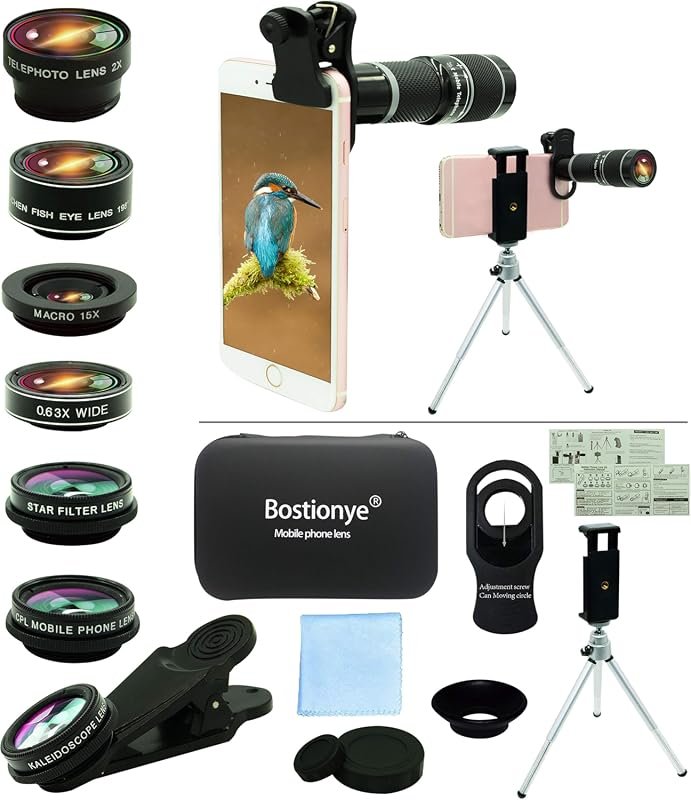
- ✓Lens Add‑Ons: Clip‑on lenses can boost zoom without losing quality.
- ✓Post‑Edit Boost: Simple apps can brighten and sharpen concert footage.
Why Choosing the Best Phone Camera for Concerts Matters: Key Fundamentals
Concert venues often combine low ambient light, fast movement, and unpredictable lighting cues. A phone that can adapt to these conditions will let you capture clear photos. Shake‑free video without hauling a bulky DSLR.
[
[EZ_UI_BLOCK_1]
]
Understanding sensor size, aperture, and software processing helps you pick a device that balances low‑light prowess with steady autofocus. For complementary picks and expert testing advice, see our guide on Top 9 Best Point and Shoot Camera for Concerts.
- Large Sensor: Bigger sensors collect more photons, reducing noise in dark scenes.
- Wide Aperture: An f/1.5–f/1.8 lens lets more light hit the sensor, brightening shots.
- Fast Autofocus: Phase‑detect or laser AF locks focus instantly on moving performers.
- OIS Support: Optical stabilization steadies handheld video, key on shaky floors.
- Software Night Mode: AI‑driven processing merges frames for brighter photos, but can blur fast motion.
Choosing a phone with these traits means you’ll spend less time fixing footage. More time enjoying the show.
Top Smartphone Models for Concert Shooting in 2026
2026 brings several flagship phones that excel in low‑light capture. Below is a quick snapshot of the leading contenders.
Use a small LED panel set to 10‑15 lumens. Point it at the subject’s face for a subtle fill that lifts detail without washing out stage lighting.
[
[EZ_UI_BLOCK_2]
]
- Pixel 8 Pro: 1‑inch sensor, f/1.5 lens, advanced Night Sight, and real‑time HDR.
- iPhone 15 Pro Max: 48 MP sensor, f/1.6 aperture, ProRAW, and sensor‑shift OIS.
- Samsung Galaxy S24 Ultra: 200 MP sensor, f/1.7 aperture, Dual‑Pixel AF, and Super Steady video.
- OnePlus 12 Pro: 50 MP sensor, f/1.8 lens, Hasselblad color tuning, and OIS.
- Xiaomi 13 Ultra: 1‑inch sensor, f/1.5 aperture, Leica optics, and 8K video.
All these phones support RAW capture, giving you flexibility in post‑processing. Choose the one that fits your budget and ecosystem preference.
Optimizing Camera Settings for Low‑Light Concerts
Even the best hardware needs the right settings to shine under stage lights. Adjust these parameters before you step into the venue.
- Manual ISO Control: Set ISO 800–1600 for bright enough exposure without too much grain.
- Shutter Speed Balance: Use 1/60 s for stills. 1/30 s for video to avoid motion blur.
- Aperture Lock: Keep the lens at its widest opening to maximize light intake.
- White‑Balance Preset: Choose “Tungsten” or “Auto” to match stage lighting.
- RAW Capture Enable: Shoot in RAW for maximum editing latitude later.
These tweaks let you capture crisp images even when the house lights dim to a glow.
Essential Accessories to Boost Concert Performance
Accessories can turn a good phone into a great concert camera. Small add‑ons improve zoom, stability, and audio capture.
- Clip‑On Telephoto Lens: 2× or 3× optics extend reach without digital loss.
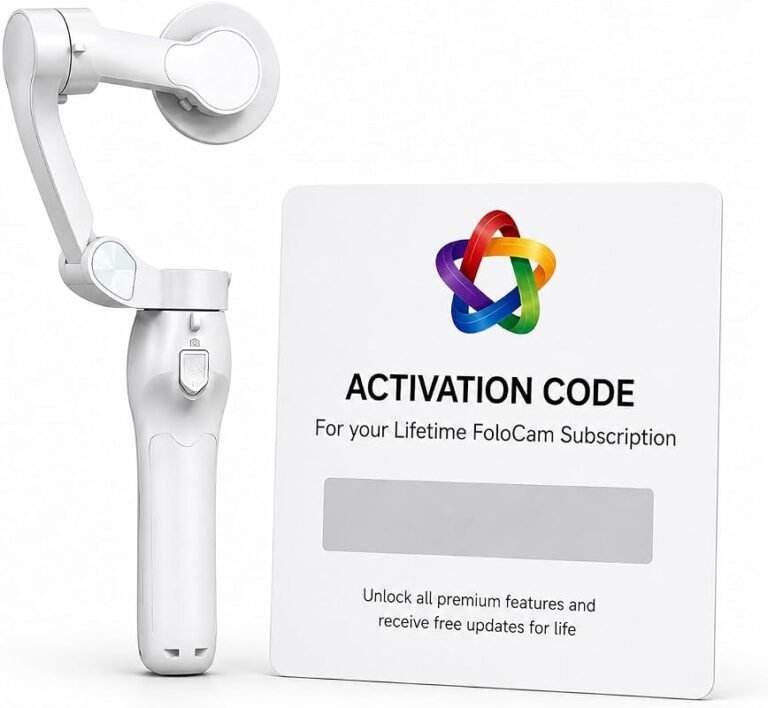
- Handheld Gimbal: Three‑axis stabilizers keep video buttery smooth.
- External Mic: Directional mics capture clear audio, reducing crowd noise.
- Portable Light: Small LED panels fill shadows when spotlights miss you.
- Protective Grip: Rubberized cases prevent slips on sweaty hands.
Investing in a few key accessories will dramatically improve your concert footage quality.
Step‑by‑Step Shooting Workflow at the Venue
Having a repeatable workflow helps you stay focused. Capture the best moments without missing the music.
- Scout the Spot: Arrive early, locate a spot with clear stage view and moderate crowd density.
- Lock Settings: Set ISO, shutter speed, and focus lock before the first song.
- Use Burst Mode: Activate burst for fast‑moving performers; capture multiple frames in one second.
- Record Video in 4K: Choose 60 fps for smooth slow‑motion highlights.
- Review Quickly: After each set, glance at a few shots to confirm exposure.
Following these steps ensures you capture the energy of each song without fiddling with menus mid‑concert. For complementary picks and expert testing advice, see our guide on Best Phone Camera 2024 Picks and Reviews.
Post‑Processing Tips to Make Concert Shots Pop
Even great raw files can benefit from a quick edit. Use mobile apps that preserve detail while boosting low‑light power.
- Exposure Boost: Raise exposure 0.3–0.5 EV to brighten shadows without blowing highlights.
- Noise Reduction: Apply mild denoise; over‑doing it will smooth out texture.
- Color Grading: Add a slight teal‑orange split tone for a cinematic vibe.
- Sharpen Selectively: Enhance edges on performers, keep background soft.
- Export in 10‑Bit: Preserve color depth for future editing.
Apps like Lightroom Mobile, Snapseed, and VSCO make these adjustments easy on the go.
Best Practices: Dos and Don’Ts for Concert Capture
Following simple best‑practice rules helps you avoid common pitfalls that ruin concert photos.
[
[EZ_UI_BLOCK_3]
]
- Do Use OIS: Keep optical stabilization on to reduce shake.
- Do Shoot in RAW: Gives you flexibility in post‑production.
- Don’t Rely on Digital Zoom: It degrades image quality; use optical or clip‑on lenses.
- Don’t Over‑use Night Mode: It merges frames, causing ghosting on moving subjects.
- Do Keep Battery Charged: Concerts can last over three hours; bring a power bank.
- Don’t Block Stage Lights: Position yourself where spotlights can illuminate the performer.
These habits keep your footage clear, bright, and ready to share.
| Stage / Focus | Key Action to Take | Timing / Phase | Impact |
|---|---|---|---|
| Check Sensor Size | Verify the phone lists a sensor larger than 1/2.5″. Larger sensors win low‑light battles. | Initial Step | High |
| Test Aperture Speed | Look for f/1.5 or wider; it lets in the most light on stage. | Core Stage | High |
| Enable OIS | Turn on optical stabilization in camera settings before the show. | Every Session | Moderate |
| Set Night Mode Limits | Activate night mode only for static shots; switch to standard mode for moving performers. | Ongoing | Easy |
Advanced Techniques for Pro‑Level Concert Shots
When you master the basics, try these pro tricks to push your phone’s limits.
- Bracketed Exposure Capture: Take three shots at different exposures, then merge in post to preserve detail in both lights and shadows.
- Manual Focus Lock with Tap‑and‑Hold: Tap the singer’s face, hold to lock focus, then switch to manual exposure for steady results.
- Use a Small Tripod or Monopod: Even a short 12‑inch tripod reduces hand shake during long video takes.
- Capture Light Trails: Set a slower shutter (1/15 s). Meanwhile, the crowd waves; the phone will record colorful streaks.
- Combine Audio Sources: Sync the phone’s mic with an external recorder in post for richer sound.
These methods add drama and polish to your concert portfolio.
Common Edge Cases and How to Handle Them
Concerts are unpredictable. Below are typical challenges and quick fixes.
Avoid using heavy AI filters on RAW concert images. They can introduce halos and reduce the natural feel of stage lighting.
- Rapid Light Changes: When strobes flash, switch to a higher ISO. Lock exposure to avoid flicker.
- Crowd Obstructions: Move a few steps back, use a telephoto clip‑on. Shoot through gaps in the audience.
- Venue Restrictions on Tripods: Use a pocket‑size stabilizer or a wrist‑strap gimbal that complies with rules.
- Battery Drain from 4K Video: Lower video to 1080p for the first half, then switch to 4K for the finale.
- Limited Storage: Record to an external USB‑C drive if your phone supports OTG, or clear space before the show.
Plan for these scenarios, and you’ll stay ready no matter what the venue throws at you.
Check the phone lists a sensor larger than 1/2.5″. Larger sensors win low‑light battles.
Look for f/1.5 or wider; it lets in the most light on stage.
Turn on optical stabilization in camera settings before the show.
Activate night mode only for static shots; switch to standard mode for moving performers.
Frequently Asked Questions
Which Phone Sensor Size Is Best for Low‑Light Concerts?
A sensor around 1‑inch (like the Pixel 8 Pro or Xiaomi 13 Ultra) captures the most light. This cuts noise in dark venues.
Can I Use the Phone’S Night Mode for Moving Performers?
Night mode works best for static subjects. For moving artists, switch to standard mode with higher ISO and faster shutter.
Do Clip‑on Lenses Affect Ois Performance?
High‑quality clip‑on lenses maintain OIS effectiveness, but cheap plastic lenses can interfere with stabilization.
How Much Battery Do I Need for a Three‑Hour Concert?
Expect 2–3 hours of video recording on a full charge. A 10,000 mAh power bank ensures you stay powered.
Is Raw Necessary If I Only Share on Social Media?
RAW isn’t required for casual sharing. But it lets you rescue details in low light that JPEG may lose.
Final Thoughts and Next Steps
Choosing the best phone camera for concerts combines hardware savvy, smart settings, and a few accessories. With the right phone and workflow, you’ll capture the excitement of live music without lugging heavy gear.
Start by testing your phone’s low‑light power at home, then apply the settings. Accessories outlined here at your next show. Review and refine your workflow, and you’ll soon have a library of vivid concert memories.